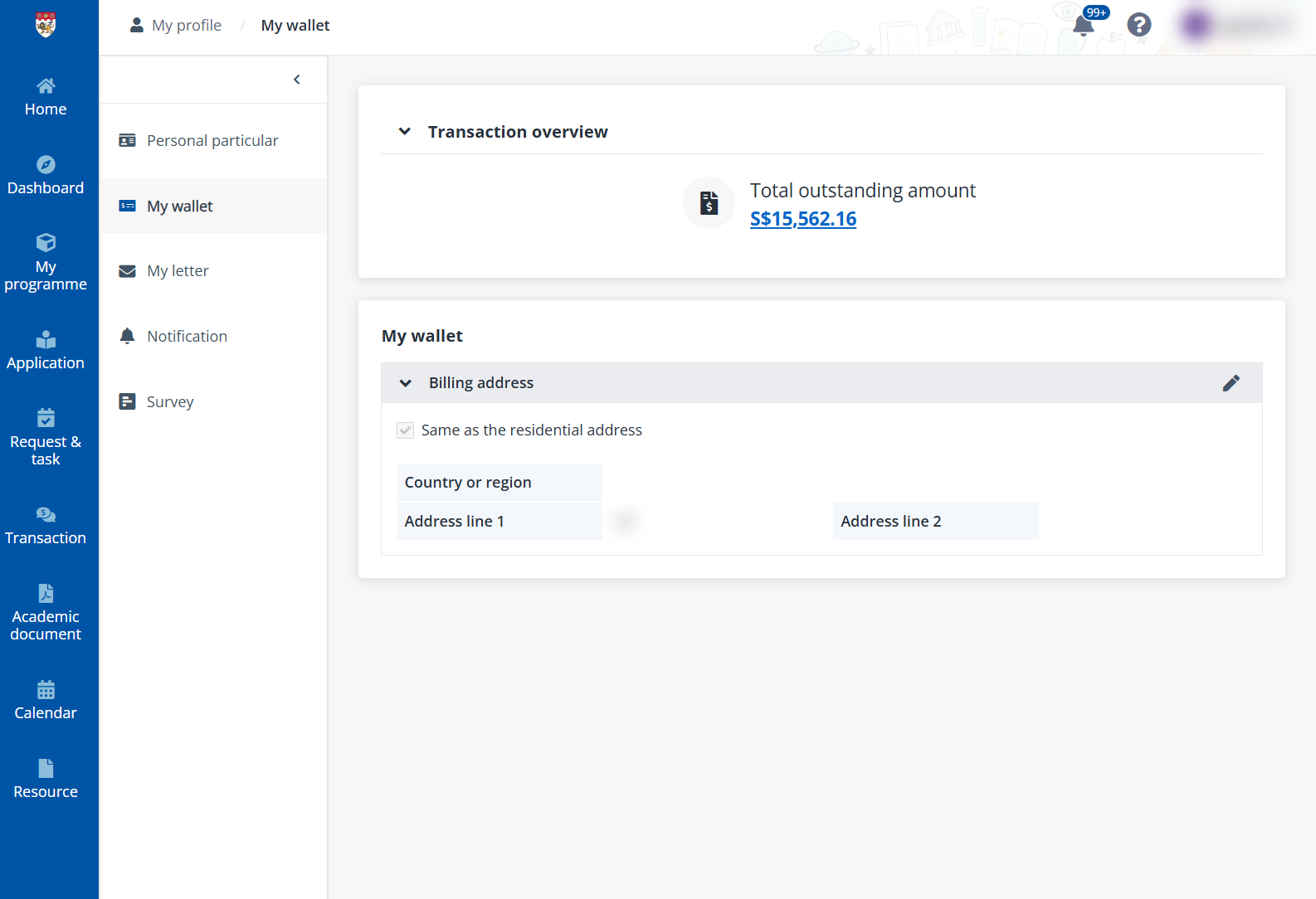
In My wallet, you can view the total outstanding amount and configure the payment-related information for your invoices and transactions.
Click My wallet on the left navigation.
In the Transaction overview section on the top, you can check your Total outstanding amount and Total alumni course credit balance. By clicking the outstanding amount, you’ll be redirected to the transaction page to all your payments and complete them. For details on making payments, refer to Make payments.
To manage the information in your wallet, refer to the following sections.
To edit billing address, complete the following steps:
1. In the Billing address section, click Edit on the top right.
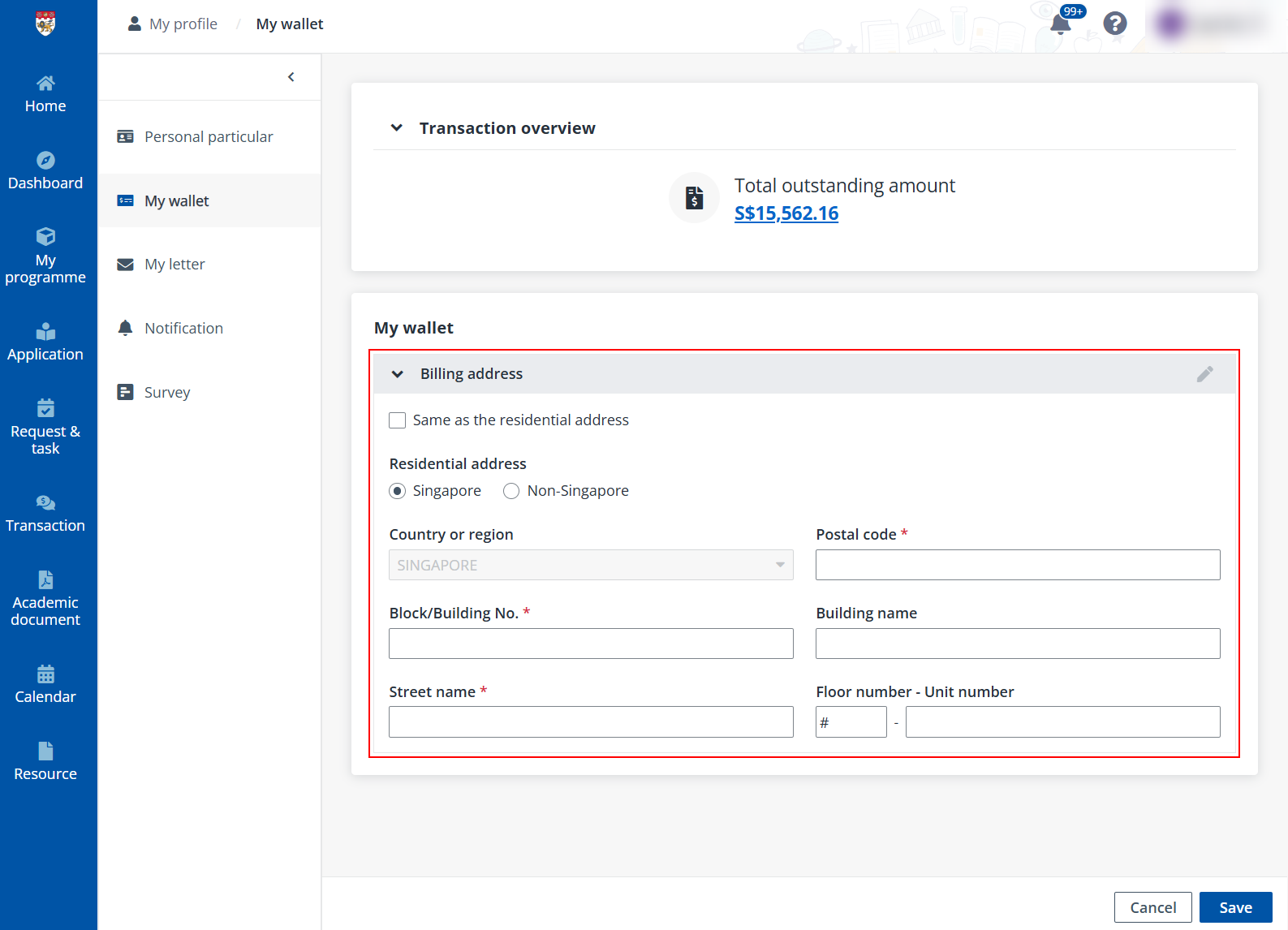
1. Fill in the billing address. If your billing address is the same as the residential address, select the Same as the residential address checkbox.
2. Click Save.
If you have paid your billings using Post-Secondary (Standing order) form, relevant information will be displayed in this section.