For payments and refunds in the system, the following
documents are generated and will be sent to you or able to be downloaded from
the learner portal:
•
Invoice
•
Receipt
• Refund
advice
Refer to the following sections to view how you can access
and download the documents.
Download invoices, receipts, and refund advice in
My letter
Invoices and payment receipts are
sent to you via e-mails or system letters. To download invoices and receipts
from the learner portal, click your profile photo on the top right and click
My profile.
In My profile > My letter, all system
letters are listed.
You can find the target invoices and receipts by using the
search box in the upper-right of the page.
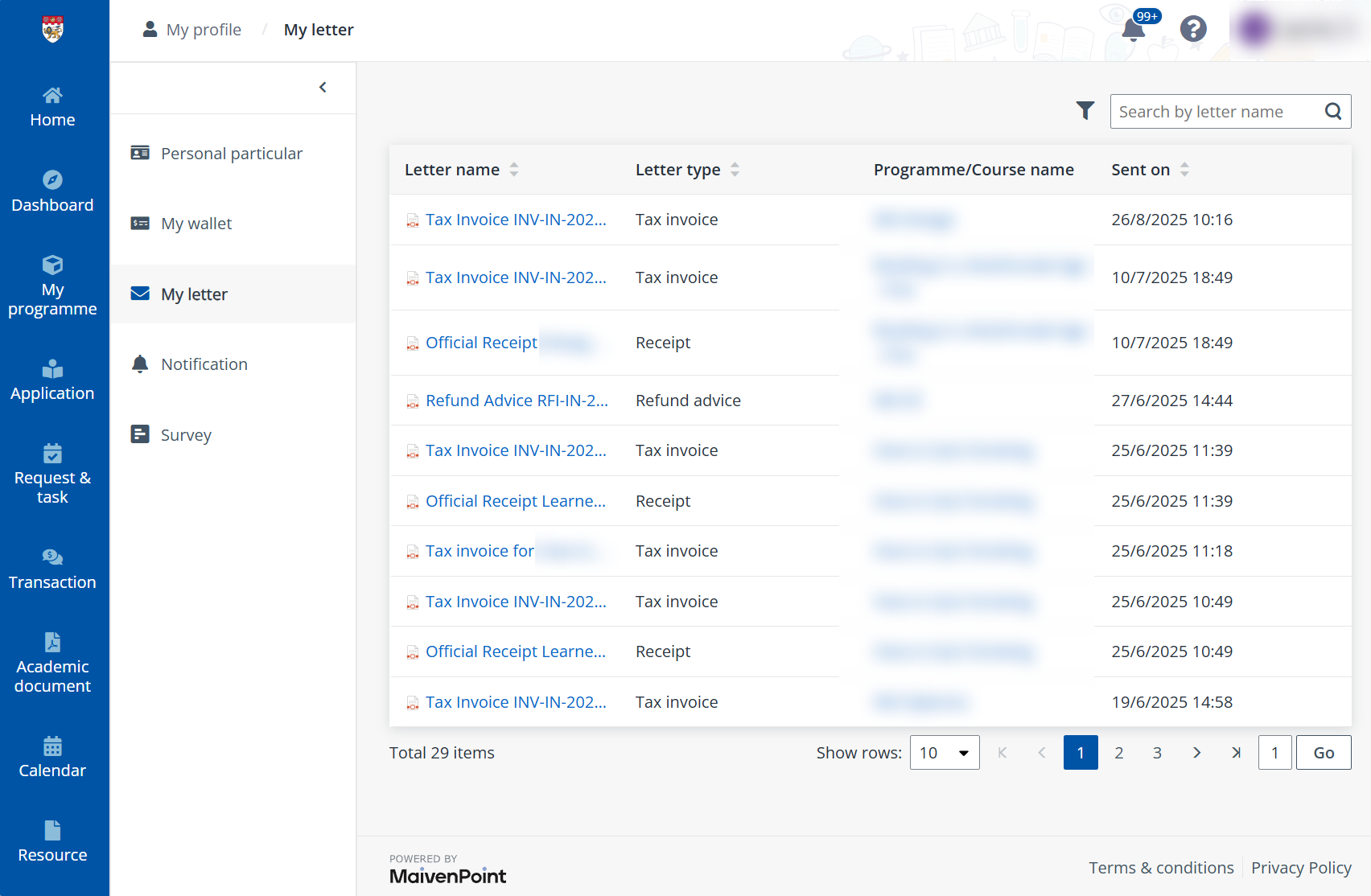
Upon clicking the letter name, the invoice or receipt in the
PDF format will be downloaded to the local device.
Download receipt in Transactions
To find the receipts of all your finished transactions, click
Transaction in the left navigation and go to the Transactions
tab.
You can download refund advice documents by following the
steps below:
1. Find the target
records. The paid transactions can be found with the Payment mode
status filter.
2. Select one or
more records and click Download receipt.
Or hover the mouse over a record and click the Download
icon to download one specific document.
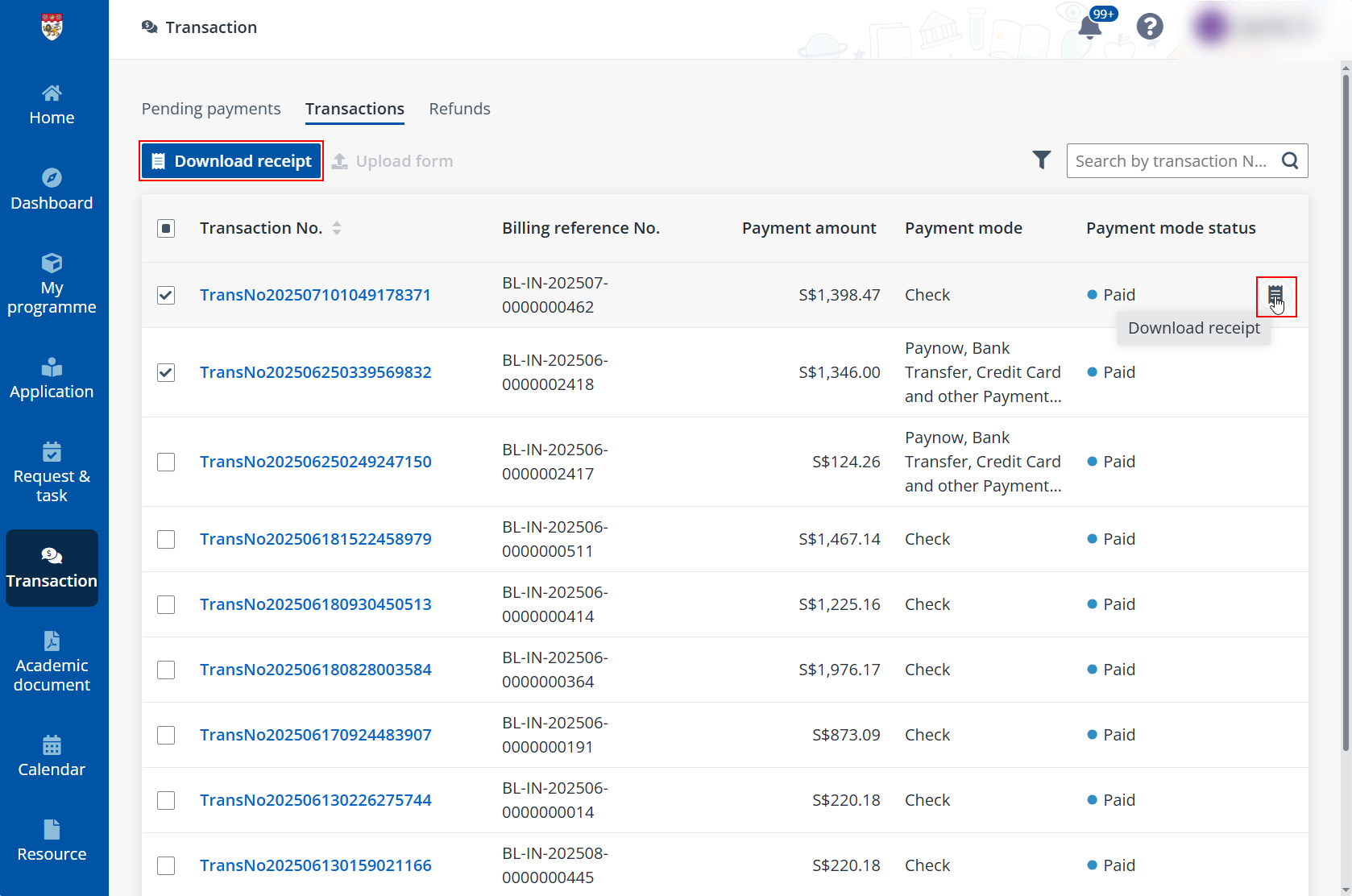
3. Upon clicking,
the PDF or ZIP file will be downloaded to the local device.
Download refund advices
After the refund process has finished, refund advice document
is generated and can be downloaded.
To find the refund advice, click Transaction in the
left navigation and go to the Refunds tab where all refund records are
available.
You can download refund advice documents by following the
steps below:
4. Find the target
records. The successfully refunded records can be found with the Status
filter.
5. Select one or
more records and click Download refund advice.
Or hover the mouse over a record and click the Download
icon to download one specific document.
6. Upon clicking,
the PDF or ZIP file will be downloaded to the local device.