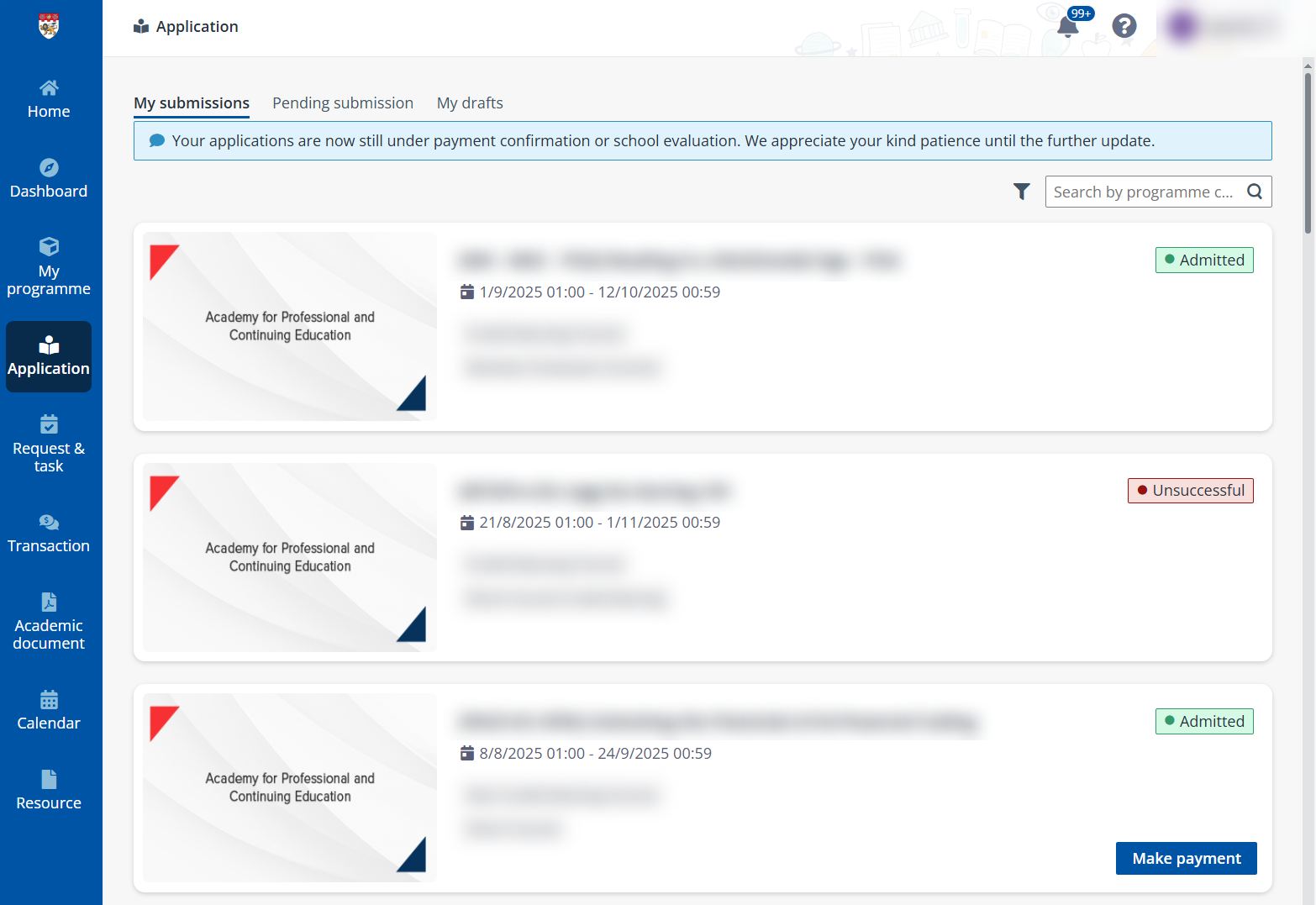
Learners can check the application status of their applications including submitted applications, applications pending submission, and draft applications. To view and process these applications, refer to the following sections.
To process a submitted application, refer to the following steps:
1. Click Application on the left navigation pane.
2. In the My submissions tab, all your submitted applications are listed.
3. Locate the application you want to view and click the application card.
4. If there are available actions for the application, you can click the corresponding buttons to proceed with the application.
To process a pending submitted application, refer to the following steps:
1. Click Application on the left navigation pane.
2. In the My submission tab, all applications that are pending submission are listed.
3. Locate the application you want to process and click the application card.
4. Follow the application steps to proceed with the application.
*Note: You can delete applications in the Ready for submission status.
To process a draft application, refer to the following steps:
1. Click Application on the left navigation pane.
2. In the My drafts tab, all applications in the Draft status are listed.
3. Locate the application you want to edit, click Edit, and then follow the application steps to proceed with the application.
The following table lists the different application statuses available in the system.
|
Application status |
Description |
|
Admitted |
The application was successfully admitted. |
|
Cancelled |
The application was cancelled by you. |
|
Incomplete submission |
Some missing fields in the application form need to be completed. |
|
Offer |
The application of a PUO course was successfully admitted and an offer was sent to you. You can proceed to accept or reject the offer. |
|
Pending course selection |
The course selection needs to be completed. |
|
Pending sponsorship approval |
The company-sponsored application is pending verification by your sponsoring company. |
|
Ready for submission |
The application hasn’t been submitted. |
|
Reject offer |
The offer is rejected by the applicant. |
|
Submitted |
The application was submitted by you. |
|
Submitted pending payment |
The application has payments that are not yet completed. |
|
Transferred |
The application was transferred to another programme intake. |
|
Unsuccessful |
Your application was rejected by the training provider. |
|
Waitlist |
The application is under the waitlist. |