When the programmes begin, you can follow up the training performances of the enrolled employees and reaches out to the branch managers or employees directly for any concerns, such as the taken training hours, attendance percentages, and assessment grades.
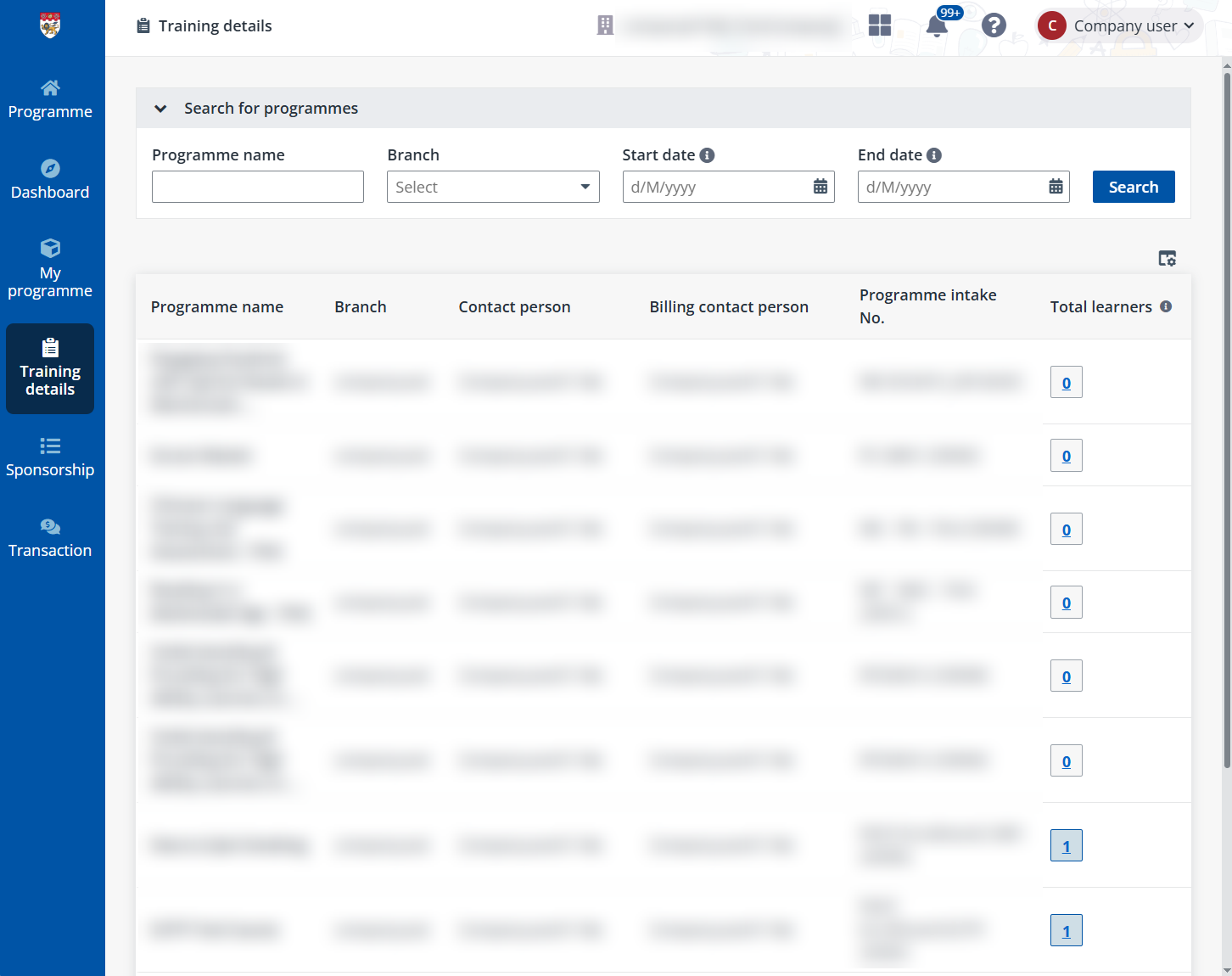
Click Training details on the left navigation panel to view all programmes sponsored by your company on the Training details page.
To view the training details of specific programmes, configure your filter in the Search for programmes section and search for the target programmes by programme names, branches, date ranges of programme start and end dates.
From the search results, you can click the number link under Total learners to go to the training details page of the programme and view all learner performances of the target programme.
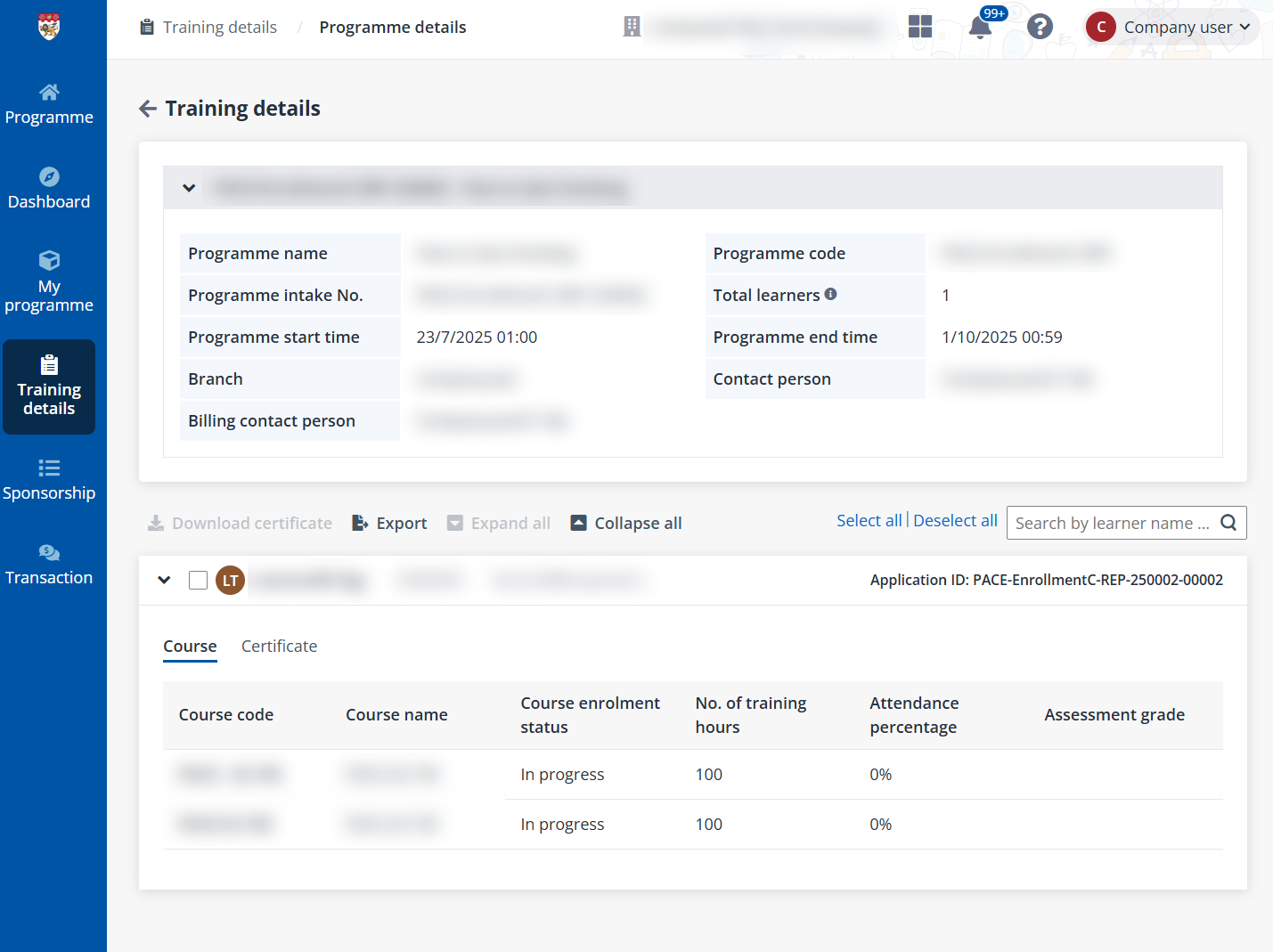
The programme details are displayed on the top of the page and all learners’ training details are listed below. To get a copy of the information on this page, click Export and an Excel file is exported to the download location of the current browser. You can use the file for sharing or further processing purposes.