After employees have applied programmes via the sponsorship
links sent by the email or received from company portal users, you can verify
the applications and sponsorships. Verified applications will be available for
further programme enrolment.
To verify applications for a specific programme, you can
either review the applications under specific programmes or among all existing
applications individually.
Verify applications by programme
To verify applications under one specific programme, complete
the following steps:
1. Click My
programme on the left navigation pane and locate the specific programme for
which there are applications need to be verified.
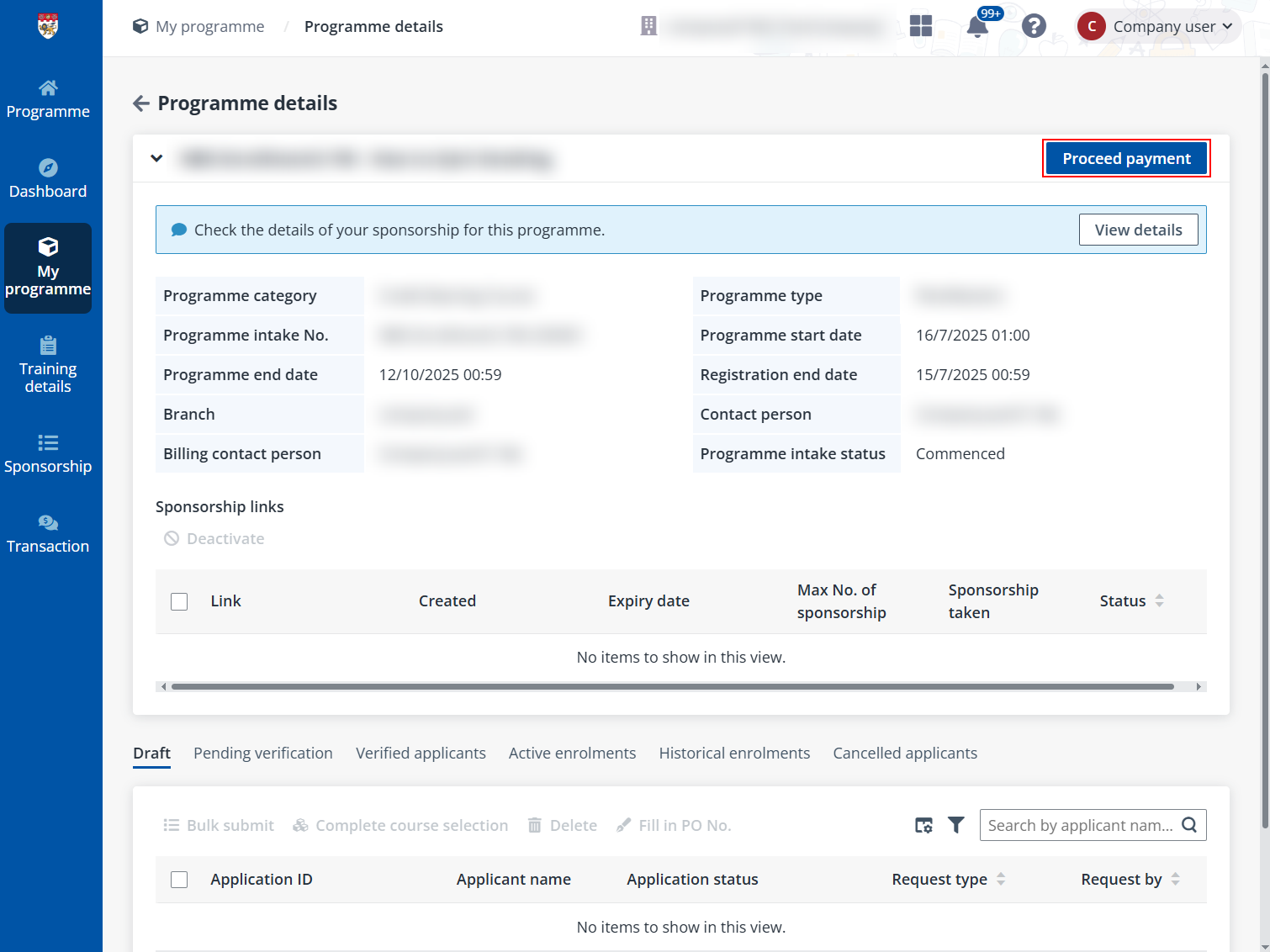
2. Click the
programme name to go to the Programme details page. All pending
verification applications are listed in the Pending verification tab.
3. To approve,
select the applications, click Approve, and enter the PO No. if required.
When you find applications that are out of the sponsorship policy, select them
and click Reject.
Verify among all existing applications
To verify applications for different programmes in bulk,
click Sponsorship on the left navigation pane and complete the steps
below:
1. On the
Sponsorship page, applications for corporate programmes and public
programmes are listed in different tabs under the Pending verification
tab.
2. You can search
for applications by applicant name, the last four digits of the applicant’s
NRIC, or programme name.
3. Then, to approve,
select the applications and click Approve. If there are applications out
of the sponsorship policy, select them and click Reject.